Step 1
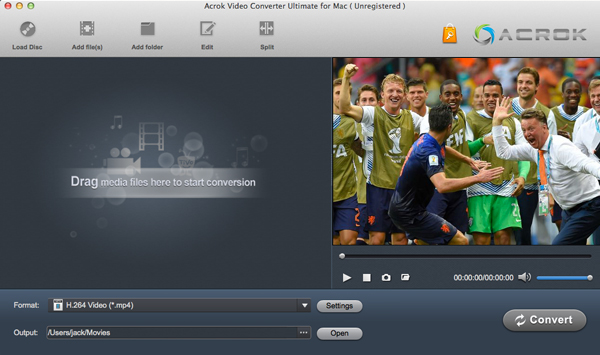
Click the “Add File” icon to load 8K, 5K, 2K, or HD videos to the Apple ProRes 422 converter. Click “Load Disc” to load Blu-ray or DVD files. You can preview the loaded video files.
Step 2
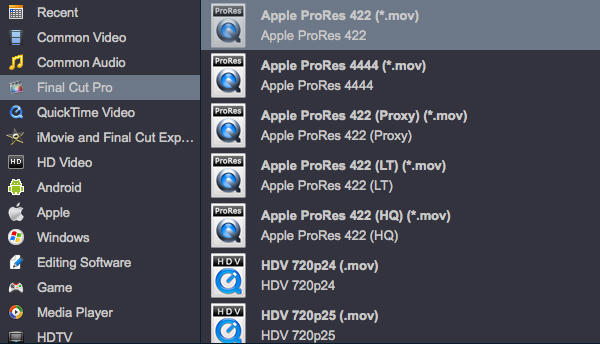
Click “Format” to set the output format. For converting video to ProRes codec on Mac, please select “Final Cut Pro” and then choose Apple ProRes 422 MOV as the output format.
Step 3
Click the “Convert” button to start converting your loaded video files to Apple ProRes 422 on Mac. You can also select actions like shutting down the PC after the conversion is completed.
Best Apple ProRes 422 Converter
Apple ProRes codec is the best editing codec for Final Cut Pro, and you won’t encounter importing or editing problems. With the ProRes codec, you can import and edit 8K, 5.6K, 4K, 2K, and HD MP4, MOV, MXF, and MTS videos smoothly without rendering.
Acrok Video Converter Ultimate for Mac is an excellent Apple ProRes converter which can help you convert camera- or camcorder-recorded video files to Apple ProRes 422/4444 at the fastest speed, such as converting H.265 MOV to ProRes 422, transcoding XAVC S MP4 to ProRes 4444, encoding P2 MXF to Apple ProRes, converting XF-AVC for editing in Final Cut Pro, or transcoding Cinema RAW Light files for importing into Premiere Pro, etc.
Acrok software exports Apple Intermediate Codec, DNxHD, DVCPRO, HDV, H.265, H.264, and MPEG-2 video codecs, ensuring maximum editing quality and efficiency. What’s more, you can rip Blu-ray/DVD, or convert downloaded MKV, AVI, WMV, and MP4 movies to portable devices for watching on the go.
Things you should know About ProRes 422
What is Apple ProRes 422
Apple ProRes 422 is a high-quality compressed codec offering nearly all the benefits of Apple ProRes 422 HQ, but at 66 percent of the data rate for even better multi-stream, real-time editing performance. The target data rate is approximately 147 Mbps at 1920×1080 and 29.97 fps.
Key Features
- 8K, 5K, 4K, UHD, 2K, HD (up to 1920×1080), and SD resolutions
- 4:2:2 chroma subsampling
- 10-bit sample depth
- I-frame-only encoding
- Variable bitrate encoding
- Normal 147 Mbit/s and High-Quality 220 Mbit/s, as well as ProRes 100 Mbit/s and ProRes Proxy for HD 45 Mbit/s at 60i
- Normal 42 Mbit/s and High-Quality 63 Mbit/s for SD resolution at 29.97 fps
- Fast encoding and decoding
Apple ProRes 422 Codec Family
- Apple ProRes 422 HQ
- Apple ProRes 422
- Apple ProRes 422 LT
- Apple ProRes 422 Proxy
Best Apple ProRes 422 Converter
Convert Video to ProRes with Just a Few Clicks
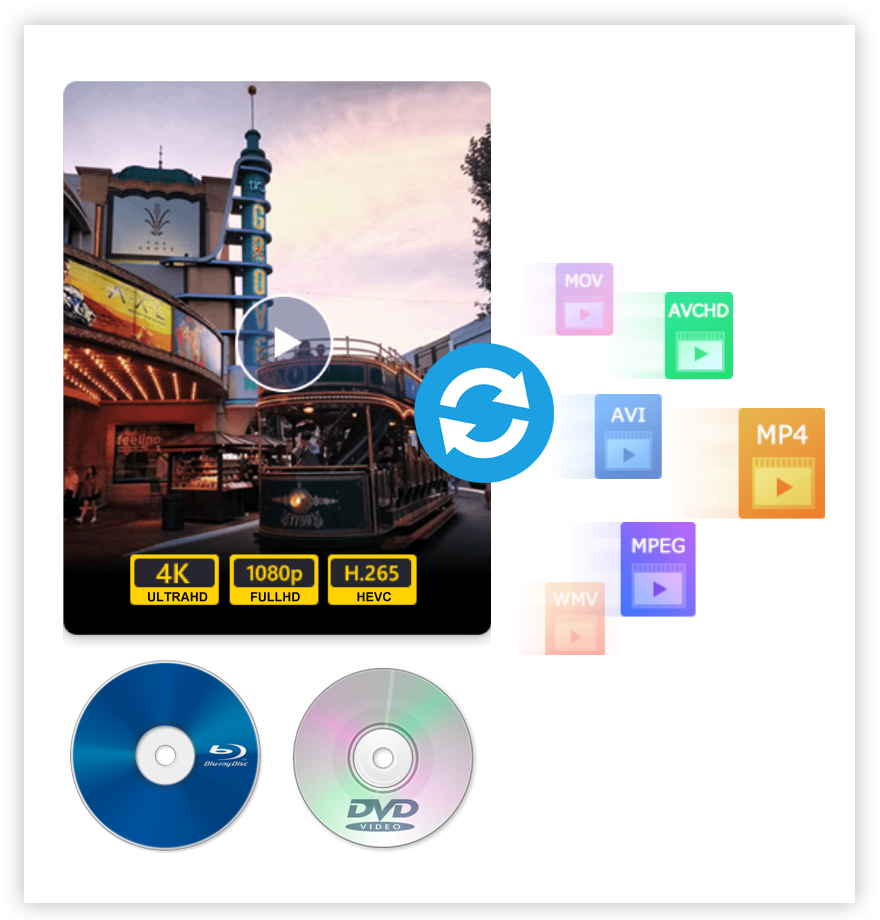
If you have some videos that can’t be imported to Final Cut Pro, iMovie, or Premiere Pro, a ProRes 422 converter would be required. With our Apple ProRes 422 Converter, you can encode/decode downloaded and recorded MP4, MOV, MXF, AVI, WMV, MKV, FLV, MPG, RMVB, VOB, Blu-ray, and DVD files to Apple ProRes codec on Windows or Mac.
The best part is that ProRes Converter supports professional encoders like Apple Intermediate Codec, ProRes 4444, DNxHD, H.265/HEVC, MPEG-4, H.264, and MPEG-2 to ensure maximum editing quality and efficiency when working with all professional editing software, including Premiere Pro, After Effects, Vegas Pro, DaVinci Resolve, Avid Media Composer, etc.
Top ProRes 422 Converter
Convert ProRes 422 to any format
Based on your graphics card capabilities, it uses world-class video encoding technology to deliver the best image quality. Transcode ProRes RAW, ProRes 422, and ProRes 4444 footage to any video codec or format for playing on media players such as Smart TVs, Tablets, Smartphones, QuickTime, or Windows Media Player; or for editing in DaVinci Resolve, Lightworks, After Effects, Premiere Elements, Avid Media Composer, Windows Movie Maker, Vegas Pro, etc.
In addition, you can convert video, audio, DVD, and Blu-ray to over 1000 formats, including MP4, AVI, MOV, WMV, MP3, FLAC, WMA, etc. Whether you want to convert 8K, 5.9K, 4K, or 2K to 1080p, or just convert between 4K formats, it is the best choice for you.
Tips on converting videos to ProRes 422